Your keys stay with you
Seed phrases are generated on device and stored encrypted. There is no copy on a server to leak.
Non-custodial · Omni-chain · BUKCS PAY
KookminWallet puts Bitcoin, Solana, TRON, TON, Litecoin and the major EVM networks in a single non-custodial mobile wallet — 2,500+ assets, cross-chain transfers built into the app, and keys that never leave your device.
Portfolio
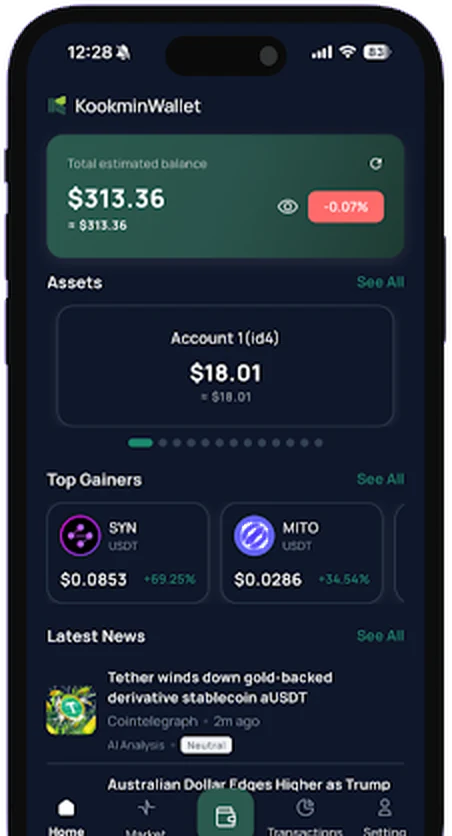
Balances from every network you've switched on, grouped by account, with live prices and market news in the same view. Pull to refresh — there's nothing to reconcile by hand.
Send & receive
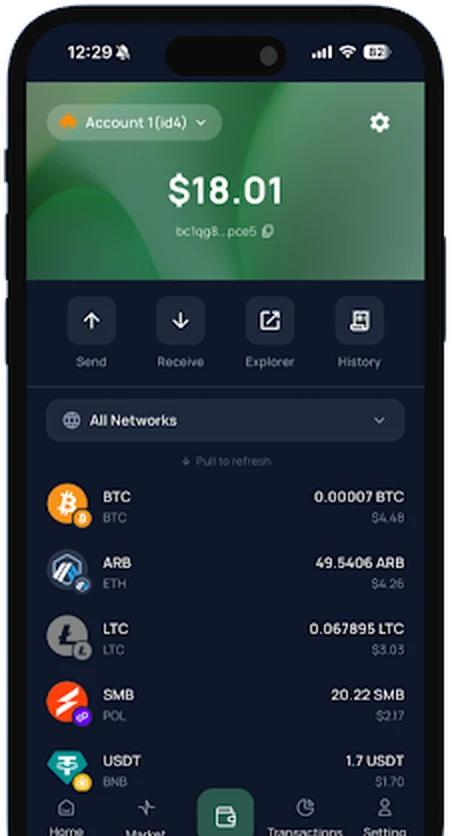
Move tokens on any supported network, scan an address with the camera instead of pasting it, and watch it confirm in your history. Every transfer is signed on the device.
Networks
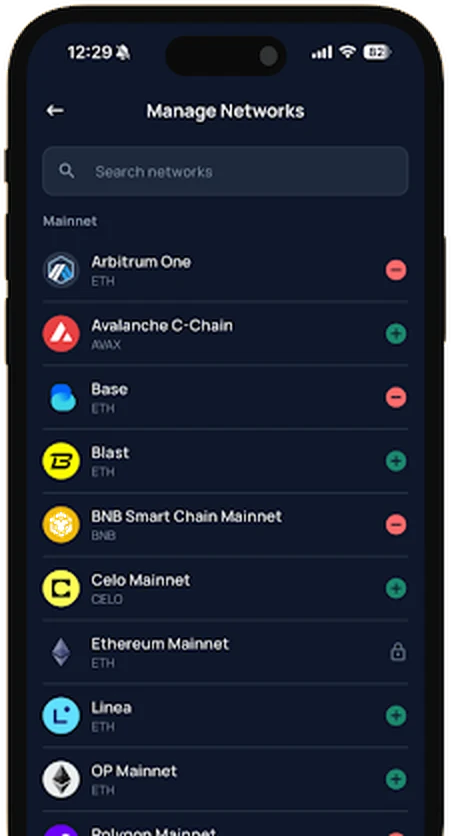
Add or hide networks from one list: EVM chains like Arbitrum, Avalanche, Base, BNB Chain, Celo, Linea, OP Mainnet and Polygon, alongside non-EVM chains — Bitcoin, Litecoin, TRON, TON and Solana.
DEXignation
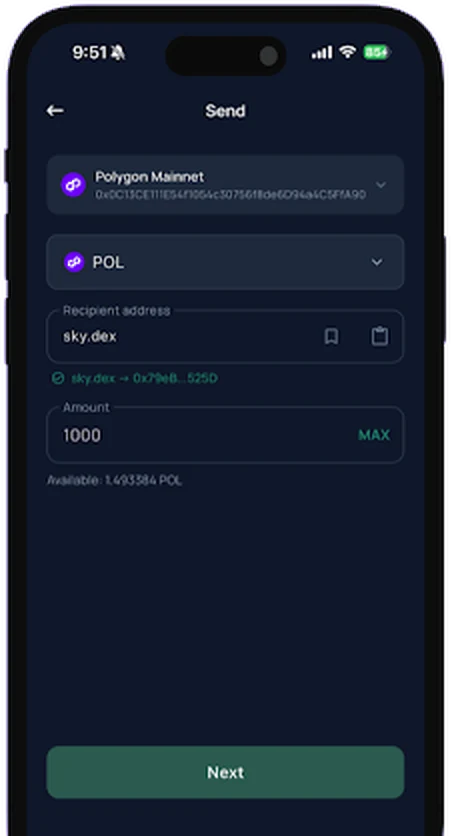
DEXignation swaps long addresses for readable Web3 names. Type the name, check the address it resolves to, send. One fewer way to lose funds to a typo.
Cross-chain
KookminWallet's omni-chain routing is built on the Chainlink Cross-Chain Interoperability Protocol (CCIP). BUKCS PAY completed implementation and application testing of the architecture with the MolePin ecosystem, and shipped it in the released app.
What the user does: one signing flow. What the user skips: hunting for a bridge site, switching networks back and forth, approving the same transfer several times.
LayerZero and Wormhole support are on the upgrade roadmap and are not available in the current version.
Security
Wallets are created and recovered on your phone. BUKCS PAY does not hold customer funds, and cannot move them.
Seed phrases are generated on device and stored encrypted. There is no copy on a server to leak.
Fingerprint or face unlock, an app lock, and account-level security settings you control.
Encrypted wallet information is protected by a key-management architecture integrated with AWS Key Management Service.
Restore the wallet on any device with your recovery phrase. Keeping that phrase safe is your job, not ours.
The Google Play data safety section declares no data collected and no data shared with third parties.
Multiple languages and local currency settings, for users in international markets.
Ecosystem
BUKCS PAY is connecting assets, identity and rewards into one Web3 environment. KookminWallet is where the assets live and move.
A non-custodial omni-chain mobile wallet spanning EVM and non-EVM networks. Available on Google Play and the App Store.
A naming and identity service that replaces complex blockchain addresses with names people can read out loud.
A rewards app connecting user engagement, advertising rewards, local services and token utility.
Next: a browser extension, so the same wallet reaches mobile apps, Web3 sites, dApps and the desktop browser.
Contact
Listings, integrations, press, or a question about the wallet — write to us here and it reaches the team directly. For release notes and quick questions, the Telegram channel moves faster.
